
Installation tasks for Oracle using ASM
Figure: Installation flow for Oracle ASM illustrates the flow of the installation when you want to use ASM for the Oracle database.
Figure: Installation flow for Oracle ASM
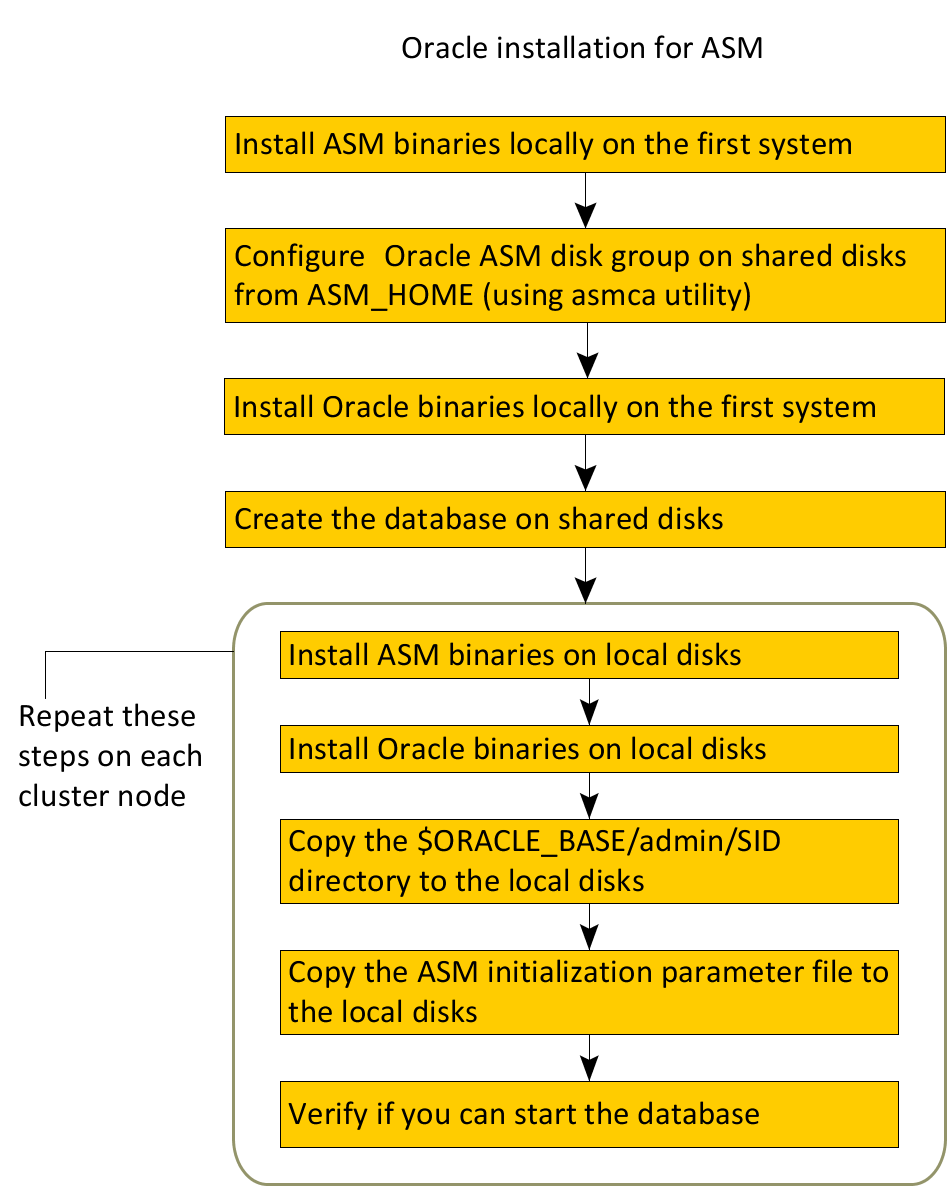
The methodology is to perform the following:
-
Install the Oracle and the ASM binaries on the local disk, configure the ASM, and to create the Oracle database on ASM disk groups during the first installation.
-
Then, install the Oracle and the ASM binaries on local disks of other nodes.
This methodology ensures that all Oracle installations are identical and access the database from the same location.
The following table lists the tasks to install Oracle and ASM such that $ORACLE_HOME is on local disks.
Table: Installation tasks for $ORACLE_HOME on local disks
| Task | Reference |
|---|---|
| On the first node in the cluster, install ASM binaries on the local disk. | - |
From the first node where you installed ASM, configure Oracle ASM disk groups on shared disks (using asmca utility). |
- |
| On the first node in the cluster, install Oracle binaries on the local disk. | See Installing Oracle binaries on the first node of the cluster . |
| Enable the Oracle clustering daemon. | See Enabling the clustering daemon for ASM-managed database . |
| From the first node where you installed Oracle, create the database on ASM disk groups. | See Configuring the Oracle database . |
| On each node in the cluster, perform the following tasks\: | See Installing Oracle binaries on the first node of the cluster . |
| - Install ASM binaries on the local disk. | See Copying the $ORACLE_BASE/admin/SID directory . |
| - Install Oracle binaries on the local disk. | See Copying the Oracle ASM initialization parameter file . |
| - Copy the $ORACLE_BASE/admin/SID directory to the local disk. | See Verifying access to the Oracle database . |
| - Copy the ASM initialization parameter file to the local disk. | |
| - Verify if you can start the database. |
More Information