
Cluster Volume Manager in the control domain for providing high availability
The main advantage of clusters is protection against hardware failure. Should the primary node fail or otherwise become unavailable, applications can continue to run by transferring their execution to standby nodes in the cluster.
CVM can be deployed in the control domains of multiple physical hosts running Oracle VM Server for SPARC, providing high availability of the control domain.
Figure: CVM configuration in an Oracle VM Server for SPARC environment illustrates a CVM configuration.
Figure: CVM configuration in an Oracle VM Server for SPARC environment
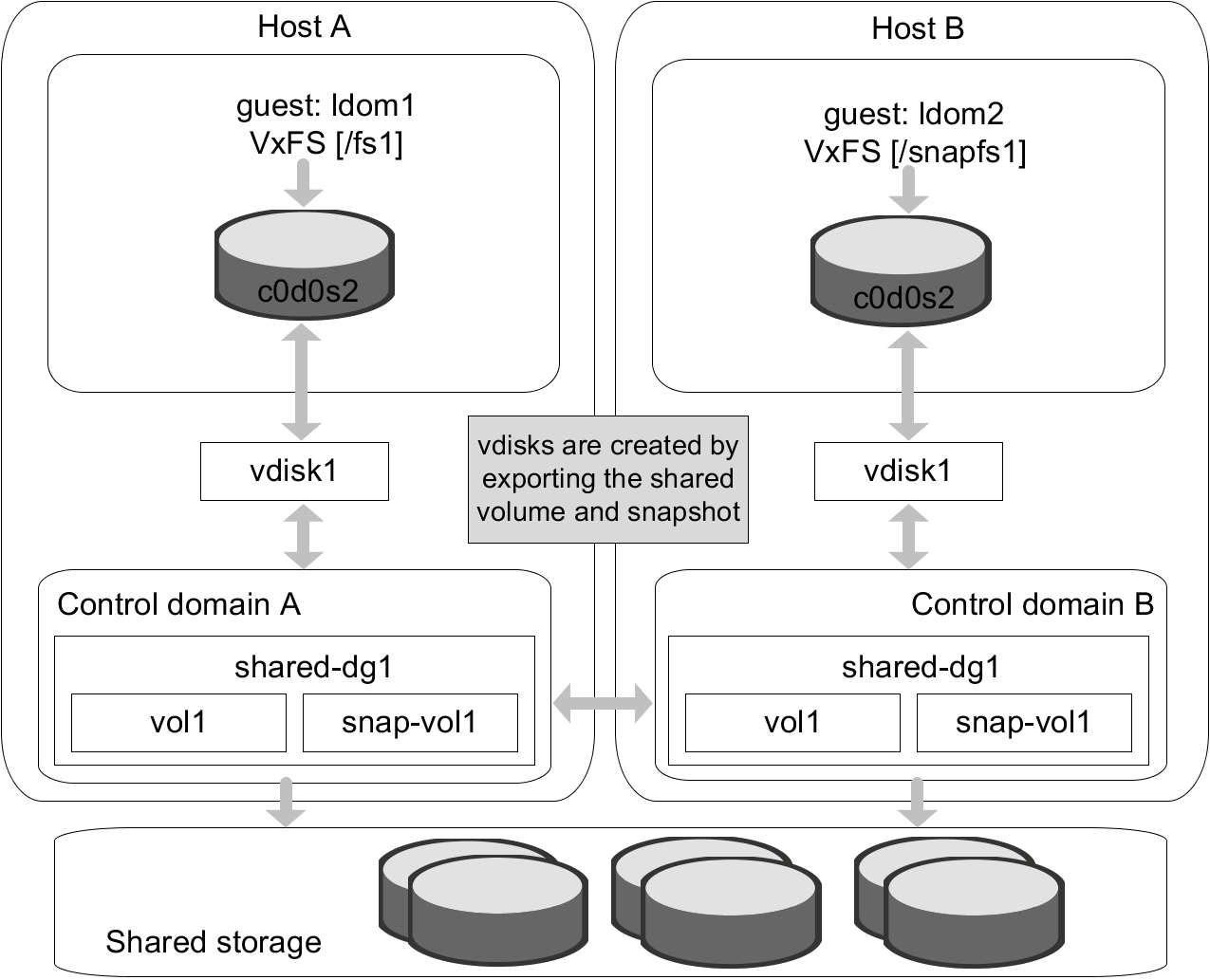
If a control domain encounters a hardware or software failure causing the domain to shut down, all applications running in the guest domains on that host are also affected. These applications can be failed over and restarted inside guests running on another active node of the cluster.
Caution: As such applications running in the guests may resume or time out based on the individual application settings. The user must decide if the application must be restarted on another guest on the failed-over control domain. There is a potential data corruption scenario if the underlying shared volumes get accessed from both of the guests simultaneously.
Shared volumes and their snapshots can be used as a backing store for guest domains.
Note: The ability to take online snapshots is currently inhibited because the file system in the guest cannot coordinate with the VxVM drivers in the control domain. Make sure that the volume whose snapshot is being taken is closed before the snapshot is taken.
The following example procedure shows how snapshots of shared volumes are administered in such an environment. In the example, datavol1 is a shared volume being used by guest domain ldom1 and c0d1s2 is the front end for this volume visible from ldom1.
To take a snapshot of datavol1
-
Unmount any VxFS file systems that exist on c0d1s0.
-
Stop and unbind ldom1:
primary# ldm stop ldom1
 primary# ldm unbind ldom1
This ensures that all the file system metadata is flushed down to the backend volume, datavol1.-
Create a snapshot of datavol1.
See the Storage Foundation Administrator's Guide for information on creating and managing third-mirror break-off snapshots.-
Once the snapshot operation is complete, rebind and restart ldom1.
primary# ldm bind ldom1
primary# ldm start ldom1 -
-
Once ldom1 boots, remount the VxFS file system on c0d1s0.Note: If CVM is configured inside the guest domain and the guest domain is planned for migration, perform this step: Set the value of the LLT peerinact parameter to sufficiently high value on all nodes in the cluster. You set the value to very high value so that while the logical domain is in migration, the system is not thrown out of the cluster by the other members in the cluster. If the CVM stack is unconfigured, the applications can stop. See theCluster Server Administrator's Guidefor LLT tunable parameter configuration instructions.