
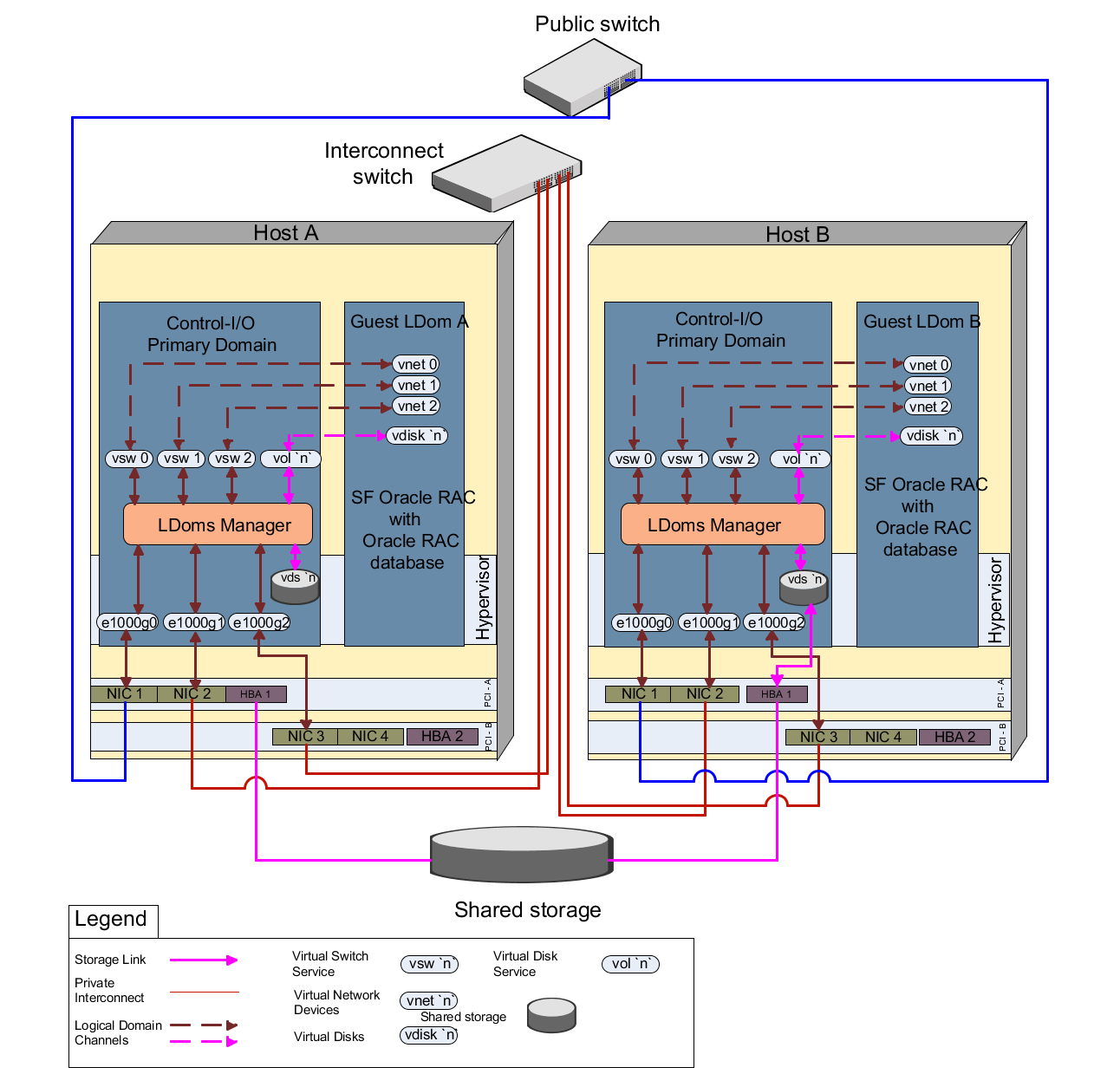
SF Oracle RAC with Oracle RAC database on guest domains of two hosts
This section describes the tasks required to set up guest domains on two hosts for deploying SF Oracle RAC.
The benefits of this approach are as follows:
-
The configuration provides a completely virtualized domain.
-
The hardware resources can be effectively utilized with other logical domains.
The disadvantage of this approach is that since there is no direct disk access from the virtual domain to the physical disk, there could be a minor lag on disk access times.
Figure: SF Oracle RAC with Oracle RAC database on guest domains of two hosts illustrates the scenario.
Figure: SF Oracle RAC with Oracle RAC database on guest domains of two hosts
 |
|---|
To set up guest domains on two hosts for deploying SF Oracle RAC
-
Complete the preparatory steps for setting up a logical domain environment.
-
Create virtual disk and network services on the primary domain.
The virtual services are bound to the virtual devices created for the guest logical domain. A guest logical domain accesses the physical hardware through the virtual devices connected to the virtual services. Assign individual services for each disk from storage. This helps to maintain sequence of the disks in the guest domain.
-
Create the guest domain.
-
Create the virtual devices on the guest domain and bind it to the virtual services created on the primary domain.
-
Install Solaris operating system on the guest domain using native operating system installation method.
-
Install and configure SF Oracle RAC.
-
Set up Oracle RAC database.
Related information