
SF Oracle RAC with Oracle RAC database on I/O domains of two hosts
This section describes the tasks required to set up I/O domains on two hosts for deploying SF Oracle RAC.
The benefits of this approach are as follows:
-
The computing resources on the hosts are available to other logical domains.
-
Direct access to storage ensures better database performance.
The disadvantage of this approach is that if the I/O load is extensive, the I/O latency on other logical domains will be high.
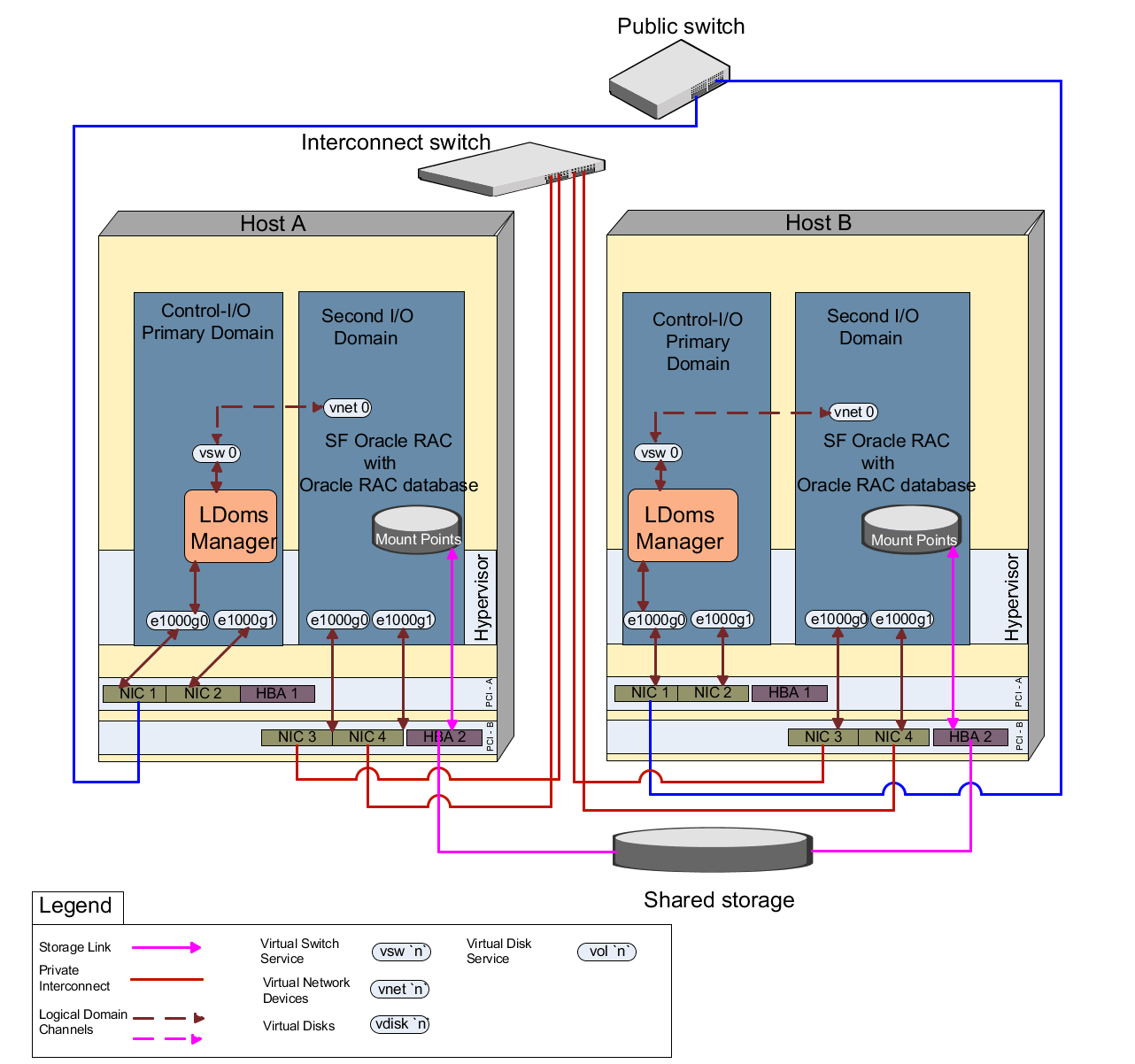
Figure: SF Oracle RAC with Oracle RAC database on I/O domains of two hosts illustrates the scenario.
Figure: SF Oracle RAC with Oracle RAC database on I/O domains of two hosts
 |
|---|
To set up I/O domains on two hosts for deploying SF Oracle RAC
-
Complete the preparatory steps for setting up a logical domain environment.
-
Create the secondary I/O domain.
-
Provision a PCI bus from the primary domain to the secondary I/O domain.
-
Create virtual network service in the primary domain.
The virtual interface connected to the service will be used by the secondary I/O domain as its public interface. The interfaces that remain on the secondary I/O domain will be used for LLT heartbeat.
-
Create virtual disk service on the primary domain.
The virtual disk connected to the service will be used by the secondary I/O domain as its root disk.
-
Install Solaris operating system on the secondary I/O domain using native operating system installation method.
After OS installation, all devices present on the provisioned PCI bus are visible on the secondary I/O domain.
-
Install and configure SF Oracle RAC.
-
Set up Oracle RAC database.
Related information