
Configure the service group for a Logical Domain
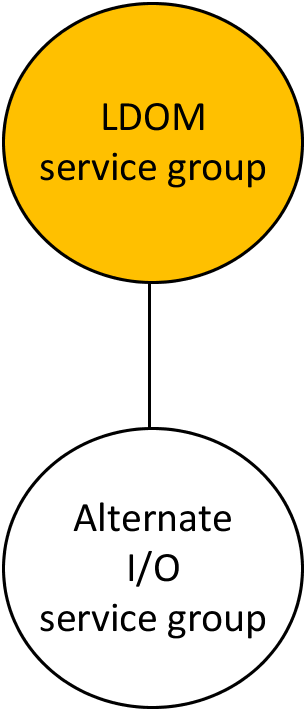
VCS uses the LDOM agent to manage a guest logical domain. The Logical Domain resource has an online local hard dependency on the AlternateIO resource.
Figure: shows the dependency of LDOM service group on the AlternateIO service group
Configuration notes:
-
Configure the service group as a fail over type service group.
-
The SystemList attribute in the LDOM service group must contain only host names of the control domains from each physical system in the cluster.
-
The LDOM service group must have online local hard dependency with the AlternateIO service group.
If the guest domain needs to be made available even when the primary domain is rebooted or shut down for planned maintenance.
To make the guest domain available
-
Set the LDOM resource attribute DomainFailurePolicy to { primary=ignore, alternate1=stop } for all the LDOM resources in the cluster which are critical and needs to be available during primary/control domain maintenance. This setting ensure that guest domain will not be brought down when primary/control domain is taken down for planned maintenance.
\# hares -modify DomainFailurePolicy ldmres primary ignore \
alternate1 stop-
Set the LDOM service group attribute SysDownPolicy to AutoDisableNoOffline This setting ensures that VCS will not fail-over the service group even when the primary/control domain where the service group is online is taken down.
\# hagrp -modify ldmsg SysDownPolicy AutoDisableNoOffline -
-
The service group will be auto-disabled in the cluster when the control domain is taken down for maintenance. Once the control domain is brought online again, clear the auto disabled system by executing the following command:
\# hagrp -autoenable ldmsg -sys primary1-
Once the maintenance for the control domain is completed, set the DomainFailurePolicy attribute to it's original values (default: {primary = stop}). Also reset the service group attribute SysDownPolicy:
\# hares -modify ldmres DomainFailurePolicy primary stop
\# hagrp -modify ldmsg SysDownPolicy -delete AutoDisableNoOffline -