
InfoScale non-FSS feature for storage sharing in cloud environments
The nodes in the cluster may be located within the same zone or across zones (Availability Zone in case of AWS and user-defined site in case of Azure). Storage devices that are under VxVM control are prefixed with the private IP address of the node. You can override the default behavior with the
vxdctl set hostpfirexcommand. For details, see the Stiorage Foundation Cluster File System High Availability Administrator's Guide - Lnux.
Considerations for LLT
Veritas recommends that you configure LLT over UDP for both, FSS and non-FSS clusters in the cloud. Veritas use LLT only for messages. Performance tuning is not required for LLT configuration on non-FSS environment.
Figure: Typical non-FSS configuration in a supported cloud environment
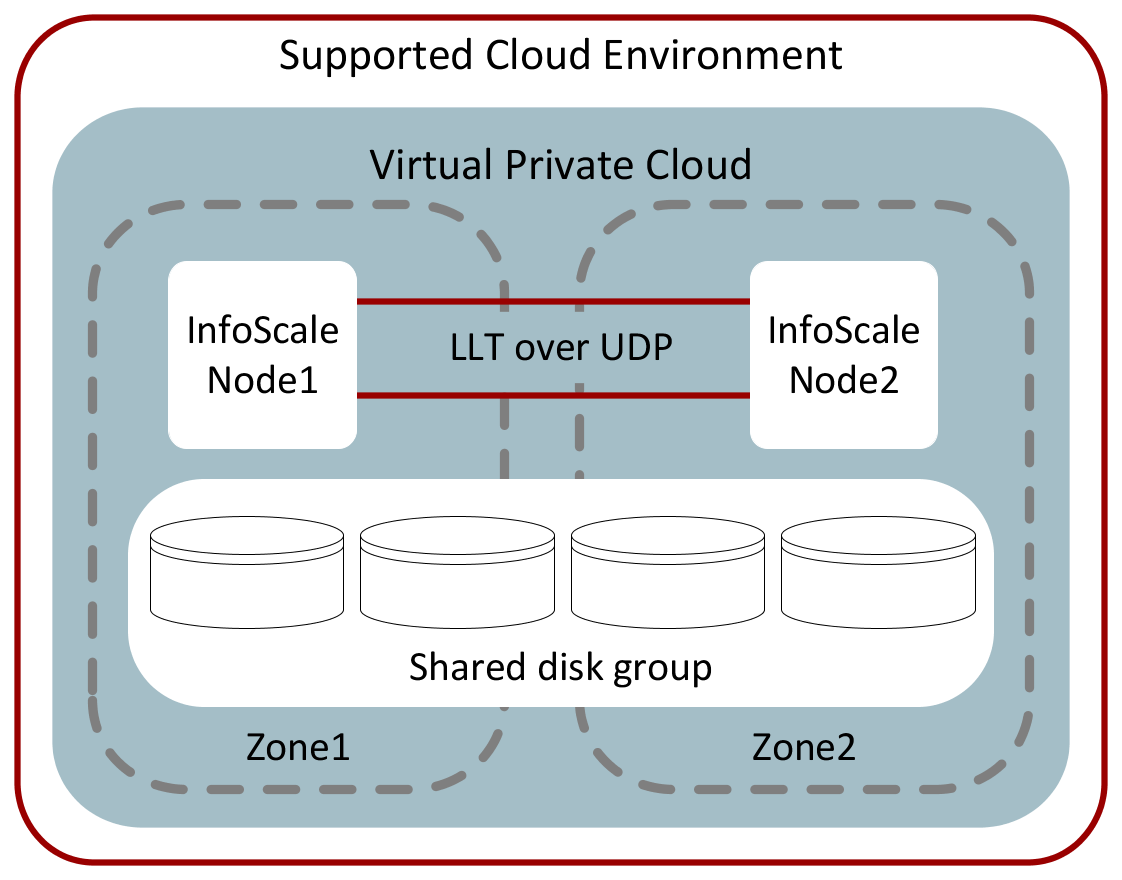
Cloud-based networks are relatively slow and have high latency as compared to physical networks.
To achieve better LLT performance in high-latency cloud networks, set the following tunable values before you start LLT or the LLT services:
-
set-flow window:10 -
set-flow highwater:10000 -
set-flow lowwater:8000 -
set-flow rporthighwater:10000 -
set-flow rportlowwater:8000 -
set-flow ackval:5 -
set-flow linkburst:32 -
Disable the LLT adaptive window in Azure and in GCP as follows:
/etc/sysconfig/llt LLT_ENABLE_AWINDOW=0
The configuration that the following /etc/llttab file represents for Node 1 has links crossing IP routers. Notice that IP addresses are shown for each link on each peer node.
Availability zone do not support ARP(Address Resolution Protocol) protocol. So, need to disable LLT heartbeat over ARP and broadcast in the link command of the /etc/llttab file.
-
set-node Node1 -
set-cluster 1 -
link link1 udp - udp 50000 - 192.1.3.1 - -
link link2 udp - udp 50001 - 192.1.4.1 -
Related information
set address of each link for all peer nodes in the cluster
format: set-addr node-id link tag-name address
Example:
-
set-addr 0 link1 192.1.1.1 -
set-addr 0 link2 192.1.2.1 -
set-addr 2 link1 192.1.5.2 -
set-addr 2 link2 192.1.6.2
disable LLT broadcasts
-
set-bcasthb 0 -
set-arp 0
The /etc/llttab file on Node 0 resembles:
-
set-node Node0 -
set-cluster 1