
InfoScale operator upgrade
Complete the following steps to upgrade InfoScale operator.
-
Log in to the OpenShift console and navigate to the correct page:
-
For versions below 4.20: Go to Operators > Installed Operators.
-
For versions 4.20 and above: Go to Ecosystem > Software Catalog.
-
-
Verify that all InfoScale operators are listed on this page.
-
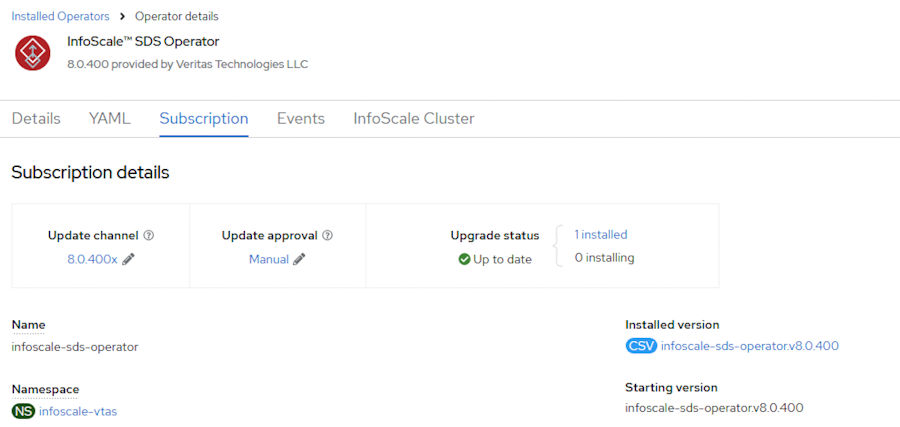
Click the InfoScale SDS Operator and select the Subscription tab to open the next screen.
-
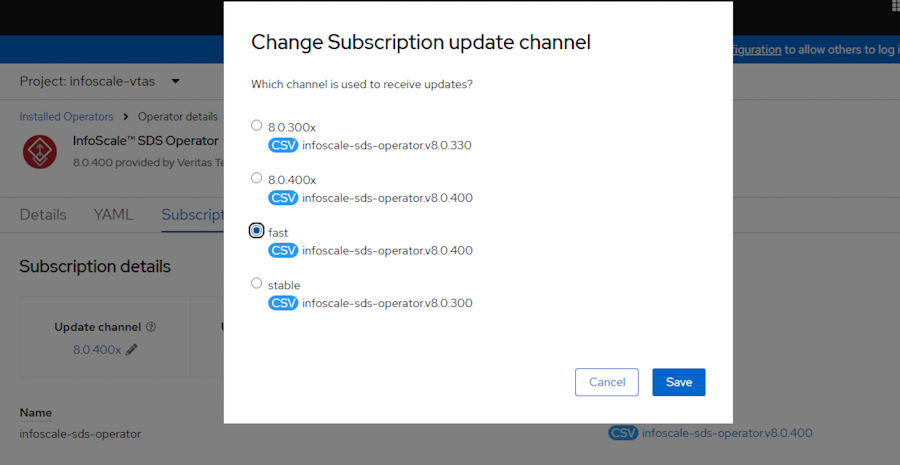
Click Update channel. Select fast and click Save.
-
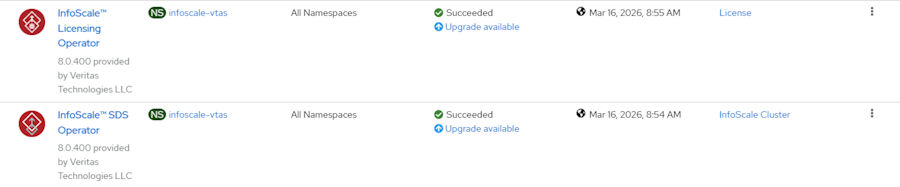
For the InfoScale operators, Upgrade Available is reported in Status as the following
-
To upgrade InfoScale, click InfoScale SDS Operator or InfoScale Licensing Operator.
-
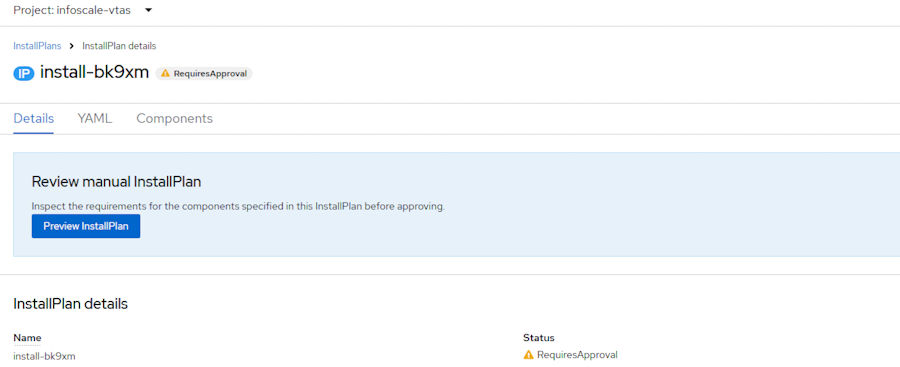
In Subscription, updates that need approval are displayed next to Upgrade Status.
-
Review the details list. Click Approve to proceed with the upgrade.
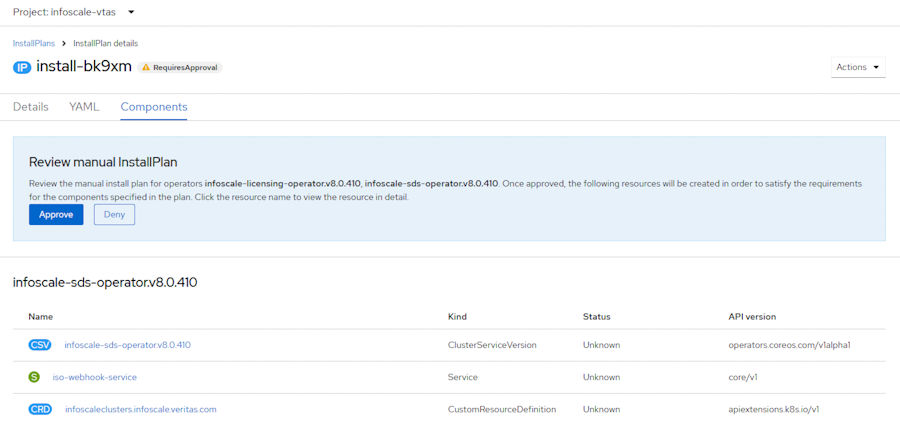 Note: The operator upgrade may require multiple steps (hops) depending on your current version. For example, an upgrade from version 8.0.400 must follow this path: 8.0.410 > 9.1.0 > 9.1.2. Upgrading from 9.1.0 to 9.1.2 only requires one hop.
 -
Wait till it is upgraded and listed in Operators > Installed Operators.

Related information