
Replication from on-premises to GCP - Windows
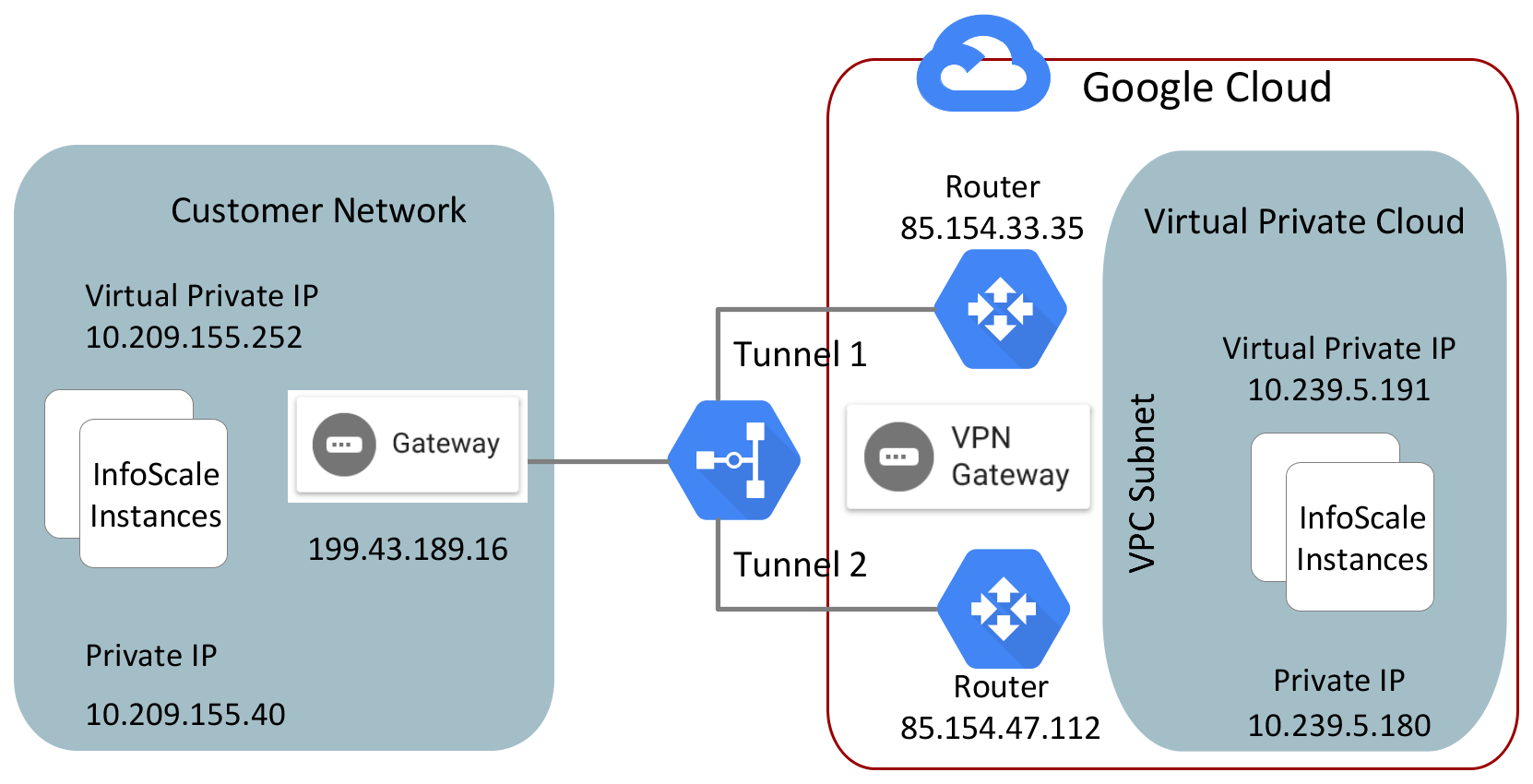
In this scenario, replication is configured from an on-premises data center to a Google cloud data center.
Figure: Sample replication configuration from on-premises to Google cloud
Prerequisites
Ensure that the following requirements are met before you proceed with the configuration:
-
The required ports are open for communication between an on-premise data center and an on-cloud data center.
For details, refer to the InfoScale Installation and Upgrade Guide - Windows.
-
The virtual private IP addresses are plumbed on both the nodes.
-
The virtual private IP addresses are configured within the subnet.
Setting up replication
The following procedure lists high-level tasks to set up replication for this scenario.
To set up replication from an on-premises data center to a Google cloud data center
-
Using the GCP Console, create a VPC network with a valid CIDR block, for example, 10.239.0.0/16.
-
Create a subnet in the VPC network and assign it to a zone.
-
Create an VM instance and associate it with the VPC network.
-
Configure a virtual private gateway and associate it to the VPC.
-
Configure a gateway in the on-premises data center.
-
Create a VPN tunnel between the on-premises network and the Google cloud network.
-
Install the appropriate InfoScale product on the VM instances in both the data centers.
-
Create VxVM disk groups, VxVM volumes, Replicated Volume Group (RVG), and RLinks.
-
Set up replication between the on-premises and on-cloud instances.
-
Verify the status of replication.
# vradmin -g dg_name repstatus rvg_name
Ensure that the replication status shows:
Replication status: replicating (connected)
Related information