
Configuring Solaris non-global zones for disaster recovery
Solaris Zones can be configured for disaster recovery by replicating the zone root using replication methods like Hitachi TrueCopy, EMC SRDF, Veritas Volume Replicator, and so on. The network configuration for the Zone in the primary site may not be effective in the secondary site if the two sites are in different IP subnets. Hence, you need to make these additional configuration changes to the Zone resource.
To configure the non-global zone for disaster recovery, configure VCS on both the sites in the global zones with GCO option.
Refer to the Cluster Server Administrator's Guide for more information about global clusters, their configuration, and their use.
To set up the non-global zone for disaster recovery
-
On the primary site, create the non-global Zone and configure its network parameters.
-
Create the non-global zone on the primary site using the
zonecfgcommand. -
Add the network adapters to the non-global zone's configuration if the zone is configured as an exclusive IP zone. Assign an IP address to the network adapter along with the Netmask and Gateway.
-
After the zone boots, set up the other network-related information such as the HostName, DNS Servers, DNS Domain, and DNS Search Path in the appropriate files (/etc/hostname, /etc/resolve.conf).
-
-
On the primary site, shut down the zone.
-
Use replication-specific commands to failover the replication to the secondary site from primary site.
-
Repeat step 1 on the secondary site.
-
Create a VCS service group with a VCS Zone resource for the non-global zone.
Configure the DROpts association attribute on the Zone resource with the following keys and site-specific values for each: HostName, DNSServers, DNSSearchPath, and DNSDomain. If the non-global zone is an exclusive IP zone in this site, configure the following keys in the DROpts association attribute on the Zone resource: Device (network adapter name), IPAddress, Netmask, and Gateway.
-
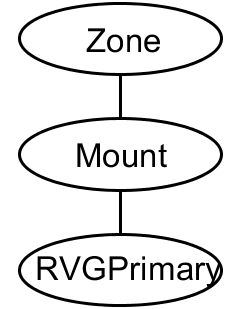
Add the appropriate Mount resources and DiskGroup resources for the File System and DiskGroup on which the non-global zone's zoneroot resides. Add a resource dependency from the Zone resource to the Mount resource and another dependency from the Mount resource to the Diskgroup resource.
-
Add one of the following VCS replication resources to the service group for managing the replication.
-
A hardware replication agent
-
Examples of these agents include SRDF for EMC SRDF, HTC for Hitachi TrueCopy, MirrorView for EMC MirrorView, etc. Refer to the appropriate VCS replication agent guide for configuring the replication resource.
-
The VVRPrimary agent
For VVR-based replication, add the RVGPrimary resource to the service group.
Refer to the following manuals for more information:
-
For information about configuring VVR-related resources, see the Veritas InfoScale® Replication Administrator's Guide.
-
For information about the VVR-related agents, see the Cluster Server Bundled Agents Reference Guide.
-
Add a dependency from the DiskGroup resource to the replication resource.
Figure: Sample resource dependency diagram for hardware replication based non-global zones

Figure: Sample resource dependency diagram for VVR replication-based non-global zones
When the resource is online in a site, the replication resource makes sure of the following:
-
The underlying replicated devices are in primary mode, and the underlying storage and eventually the zone root goes into read-write mode.
-
The remote devices are in secondary mode.
Thus, when the Zone resource goes online the resource modifies the appropriate files inside the non-global zone to apply the disaster recovery-related parameters to the non-global zone.
Related information