
Getting the registration key file from the VEMS portal
The following steps describe how to get the registration key file from the Veritas Entitlement Management System (VEMS) portal.
To get the registration key file from VEMS
-
From a web browser, go to the Arctera Support site at the following URL and then sign in using your Arctera account:
-
Click Licensing ** to enter the VEMS portal and then clickEntitlements**.
-
Locate an entitlement for one of the InfoScale products with an Entitled Version greater than or equal to 8.0.2.
-
Click Generate License icon for the InfoScale 8.0.2 product entitlement.

-
Select Veritas License Manager.

-
Enter the host lock string and click Generate.

-
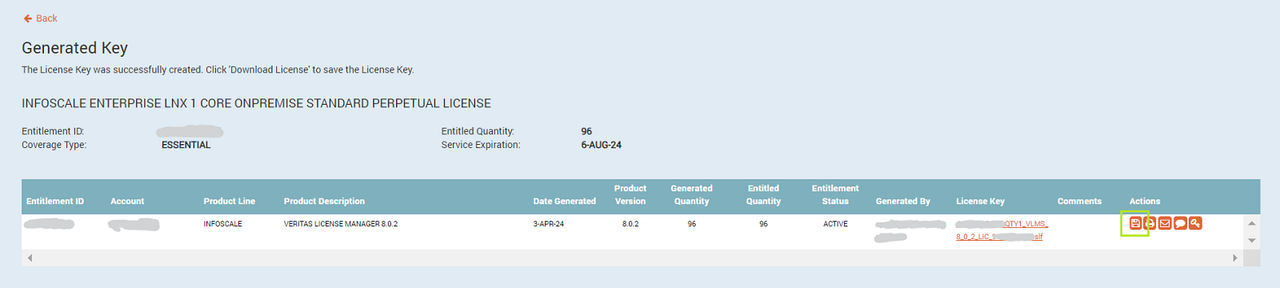
Click the Download icon to download the registration key.
Related information